How to add or change a named driver
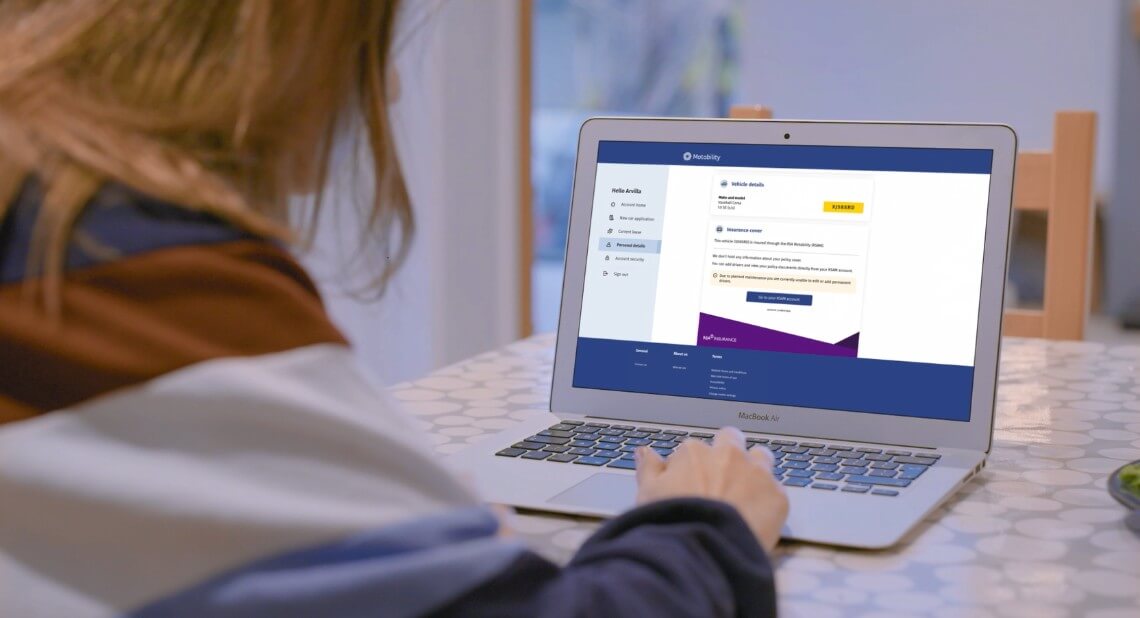
We’ve created a quick tutorial to explain how you can add, view or change your named drivers through the online account.
Sign up or log in to your Motability Scheme online account
Your online account puts you in control.
You can check important details, make changes to some of your key information and even track the progress of your application.
To view or change your named drivers in your online account, first log in or create an account.
Then, choose ‘Insurance’ in the menu.
If you’re adding a permanent driver, they’ll need to provide their driving licence number, details of any previous insurance claims in the last five years and any licence restrictions. If you’re adding a temporary driver, we’ll need the same details except for the driving licence number.
Providing they pass the required checks, they will be added to your insurance and can drive your vehicle straight away.
You’ll then be sent a letter confirming the change of driver, and a copy will also be available to view in your online account the next day.
Other benefits of an online account
Did you know about these other great benefits of an online account? You can:
- Easily check and update personal information such as your address and contact details, saving you time and providing peace of mind that everything is up to date.
- View key lease dates and important Scheme documents to help you stay organised throughout your lease.
- Find your managing dealer’s contact details – useful if you need to get in touch with them to arrange any servicing, maintenance or repairs.
Car and Wheelchair Accessible Vehicle (WAVWheelchair Accessible Vehicle) customers
If you are an existing car or WAVWheelchair Accessible Vehicle customer without an appointee, you can start your next application from home by updating your personal details and allowance information before you visit a dealership. This allows the dealer to dedicate more time to helping you choose your next car. You can also add the details for two named drivers to your application if they hold an England, Wales or Scotland driving licence.
If you have recently placed an order for a car or WAVWheelchair Accessible Vehicle, you can use the online account to check the progress of your application and access the PIN, ready for delivery day.
We’re also continually adding new features to the online account, so keep signing in to see what’s new.
Related articles
Ready to order your next car? Here’s how the online account can help