
How to set up your Drive Smart account
Setting up your Drive Smart account is quick and easy. We’ll guide you through each step, so you can get started with confidence and make the most of Drive Smart.
Setting up your Drive Smart account is quick and easy. We’ll guide you through each step, so you can get started with confidence and make the most of Drive Smart.
We’re pausing Drive Smart for all customers
You'll need to complete setup and start using the app within 10 days of receiving your Drive Smart device. This includes adding any drivers on your lease.
We’ll post your device to your home. It fits through your letter box.
Download the Drive Smart app using the link in your welcome email.
Activate your account using the email address linked to your lease.
Make sure Bluetooth and all app permissions are turned on, so your device can connect with your phone.
Open the app and follow the instructions to pair your device.
Hold your phone close to the device to complete the connection.
Peel off the adhesive backing and secure your device to the top of your windscreen.
Make sure it will not obstruct the driver's view.
Next, invite all drivers on your lease.
Each driver will need to download the app and sign in.
Once everything is set up, keep your phone with you when you drive.
The app will automatically record your journeys in the background.
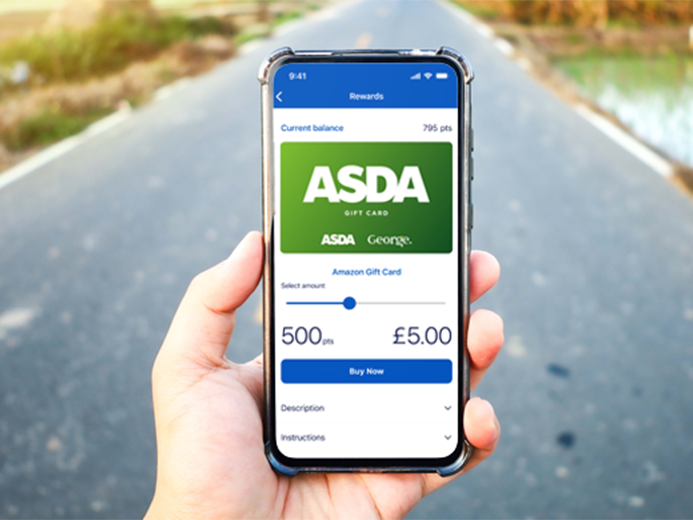
You'll get 400 reward points if you activate your account, add your drivers, and take your first trip within 10 days of the device being delivered. You can use your reward points towards a voucher of your choice for brands like M&S or Asda. When your drivers drive safely, you’ll earn points each week. We’ll send you a weekly summary of the driving score, and any hints and tips, so you can unlock up to £160 per year in rewards. Make sure you bank your points each week. Any unbanked points will be lost.
All drivers on your lease must download the Drive Smart app. When you set up your account, you can add their details. They’ll get an email to connect to the account.
Everyone has 10 days to complete setup and start using the app. Your drivers do not need to be with you or in the vehicle to do this. We'll send a few reminders, and notify you if any drivers have not finished their set up.
This is to record the journey. Keeping the phone still in the vehicle makes the data more accurate.
Forgetting the driver's phone once is not a problem. But if you think it’s having an impact on your score, call us on 0300 456 4566.
The app works on most smartphones, but not all Android models. Phones like Xiaomi, Oppo, Huawei, Honor, and others that do not fully support Google Play services will not be compatible.
To use Drive Smart, you and any drivers on your lease will need a compatible smartphone and email address.
The app does not use much data, so a basic data plan is usually enough.
If using a smartphone is not possible for you, we may be able to give you an alternative. This involves fitting a device to your car that can collect your driving data. Please call us 0300 456 4566 if you need this.
We recommend using a smartphone so you can see your driving scores, get helpful tips, and earn rewards for safe driving.
If you get a new phone during your lease, you need to reinstall the app and sign in with the same account you used before.
Once you're signed in, the app will pick up where it left off and keep recording your trips. Make sure you have given it the right permissions, like access to your location and motion activity, so it can work properly.
Your app will give prompts if the setup is incomplete.